What's New in liteAPI: Chatbot, Price Intelligence, Smarter Reporting, and AI Across the Stack
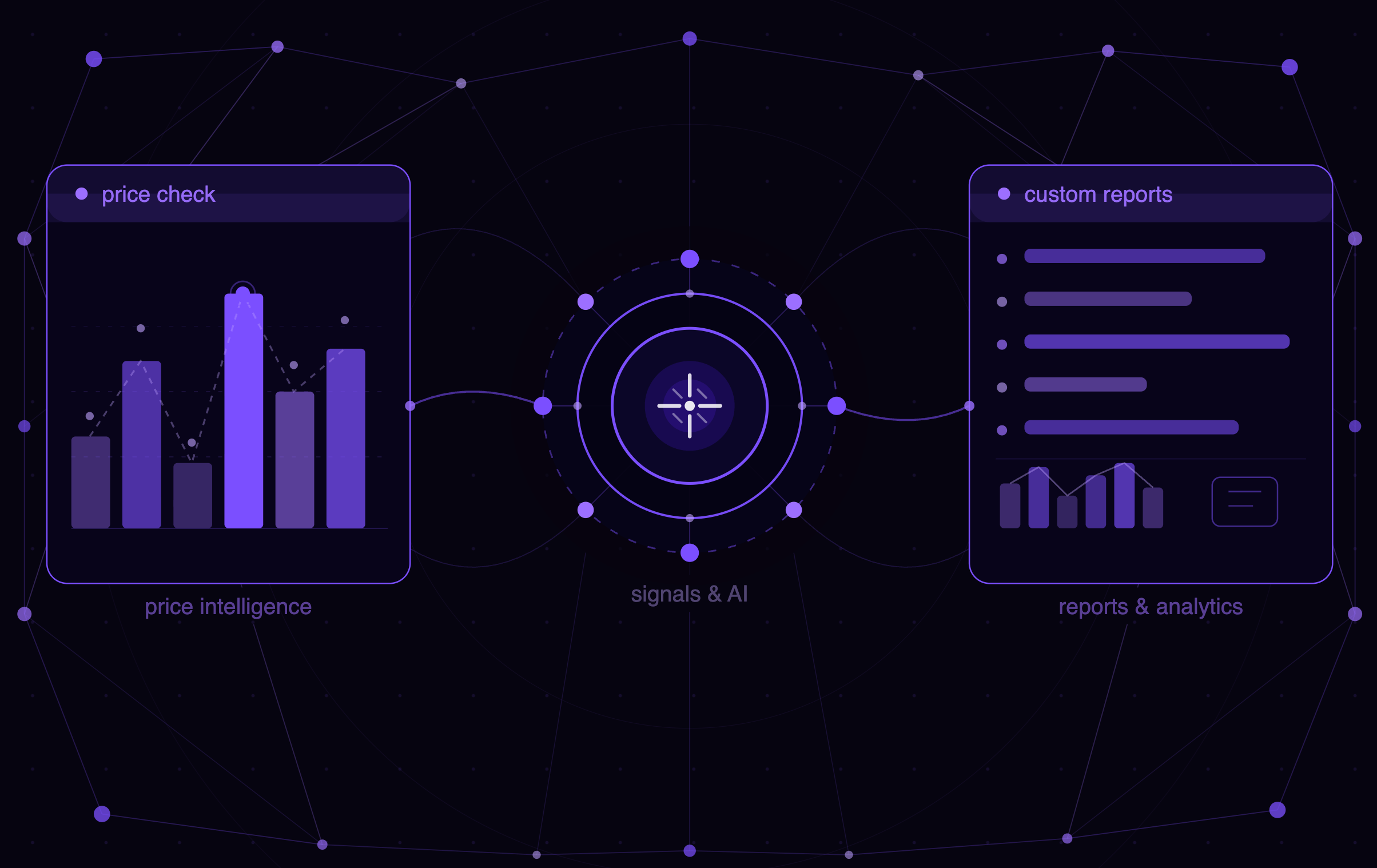
The recent liteAPI updates share a consistent direction: bringing AI into every layer of how travel companies build, operate, and make decisions. Some of it is customer-facing. Some of it is operational. All of it is designed to reduce the gap between having data and knowing what to do with it. Here's what shipped.
By Nuitée
Published May 04, 2026
A Fully Customizable AI Chatbot
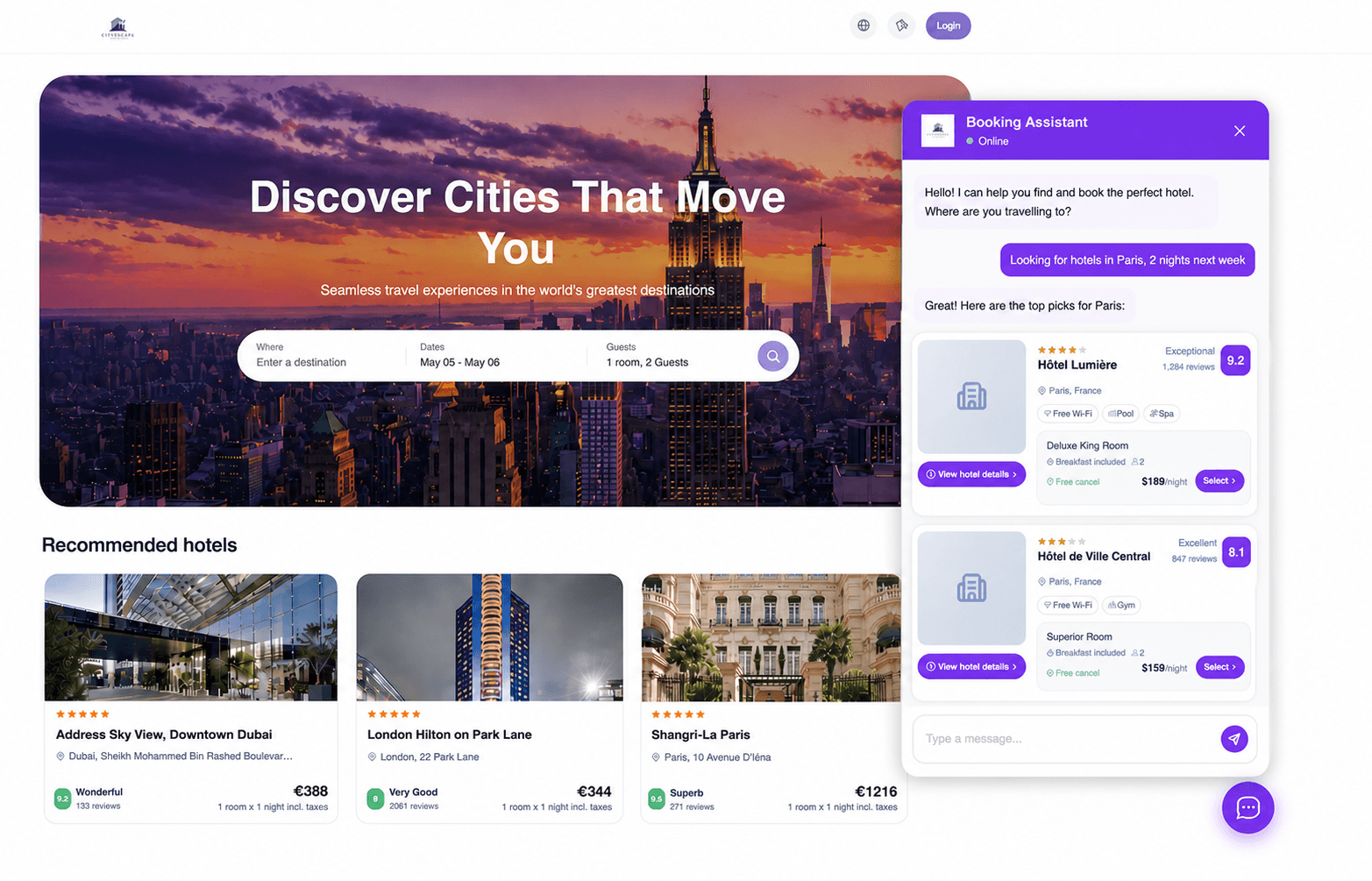
Travel companies have been embedding search and booking flows into their products for years. What they haven't had is a conversational layer they actually control, one that reflects their brand logic rather than defaulting to whatever a generic AI assistant decides to do.
The liteAPI AI chatbot changes that.
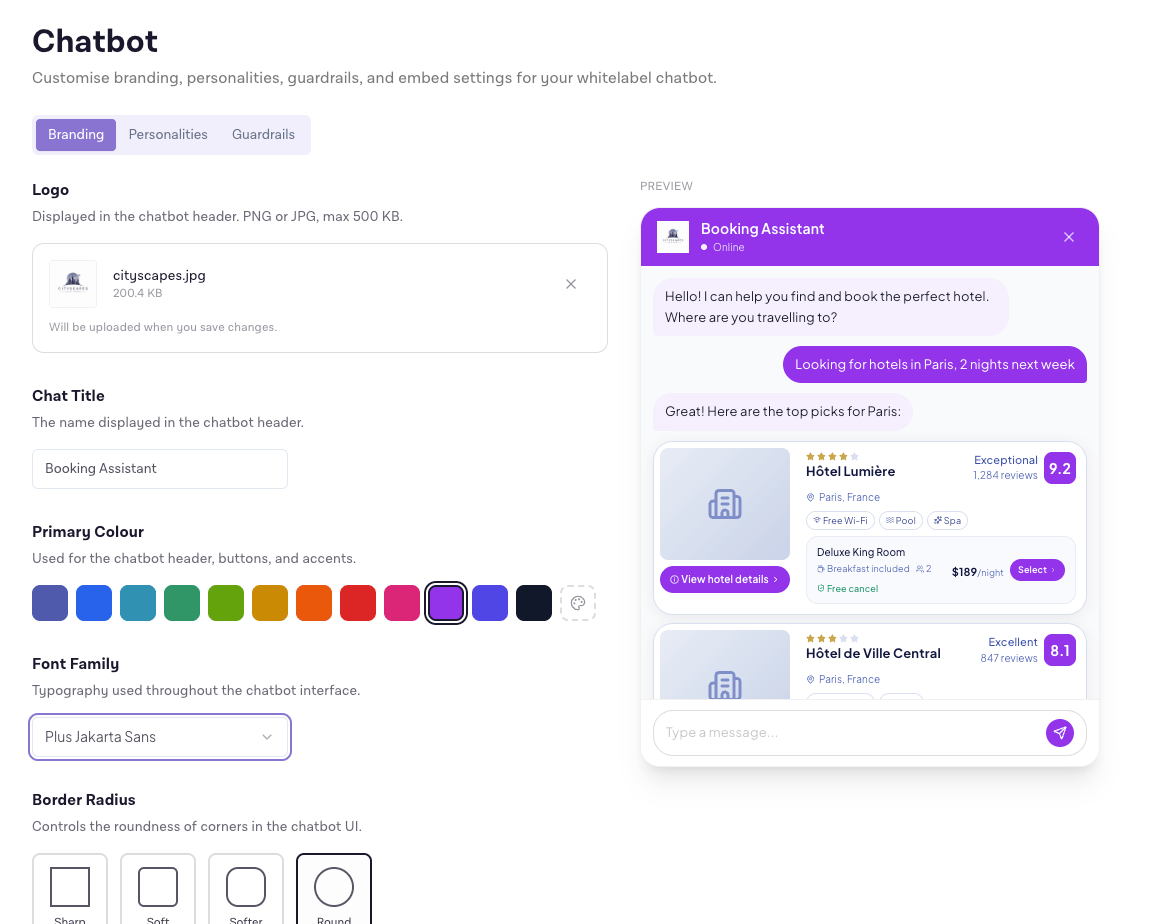
You can embed it directly into your product and configure it to reflect how you sell travel. That starts with the obvious things: personality, tone, response style. A luxury travel brand and a corporate booking tool have different standards for what a helpful response looks like, and the chatbot can be shaped to match either. But it goes further than surface-level branding.
User segmentation is built in. Different customer tiers can receive different styles of responses and recommendations, so a premium member and a first-time user aren't getting the same experience. You can also define what the chatbot prioritizes at a deeper level: preferred hotel types, budget thresholds, travel intent (business versus leisure), and how it weights availability against other factors. The chatbot doesn't just answer questions; it routes users toward outcomes that align with your product strategy.
Under the hood, you have access to system prompts and a full guardrails layer. This covers handling sensitive topics, enforcing brand-safe language, and defining hard limits for what the assistant should and shouldn't engage with. For companies operating in regulated environments or managing high-value customer relationships, that control layer matters.
For companies that have invested in brand experience, that level of control over a conversational layer is something that hasn't existed before at this layer of the stack.
Built-In AI Support for Your Team
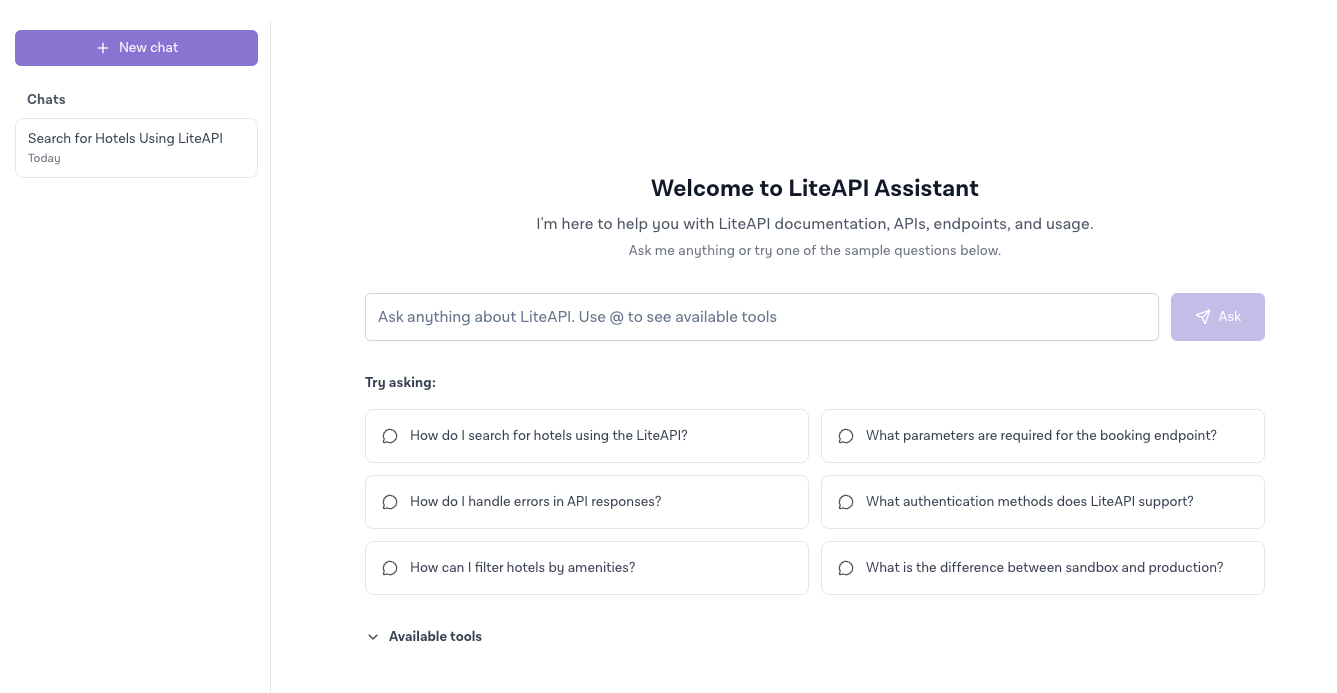
liteAPI now includes an AI-powered support feature directly inside the dashboard, called Request Assistance. Instead of searching through documentation, posting in a Slack channel, or waiting for a support ticket response, you ask your question directly inside the platform and get an answer immediately.
The assistant is trained on liteAPI documentation, API behavior, and common integration patterns. That means it can do more than point you to a page. It can explain why a specific API response looks the way it does, help you trace an unexpected result back to a configuration issue, and walk through implementation decisions when you're building something new. For engineering teams deep in an integration, that kind of contextual help removes a lot of friction.
When a question genuinely needs human attention, you can escalate to a support ticket without leaving the dashboard. The full conversation history carries over, so you're not re-explaining context to a support agent. From there, you can track ticket status, upload screenshots or documents, and respond to updates all in one place.
Most teams lose significant time switching between tools when something breaks or a question comes up mid-build. Having documentation, troubleshooting, and support escalation in the same environment cuts that overhead considerably.
Signals and Improved AI Recommendations
Most analytics tools show you what happened. What you do with that information is left entirely to you.
liteAPI Signals takes a different approach.
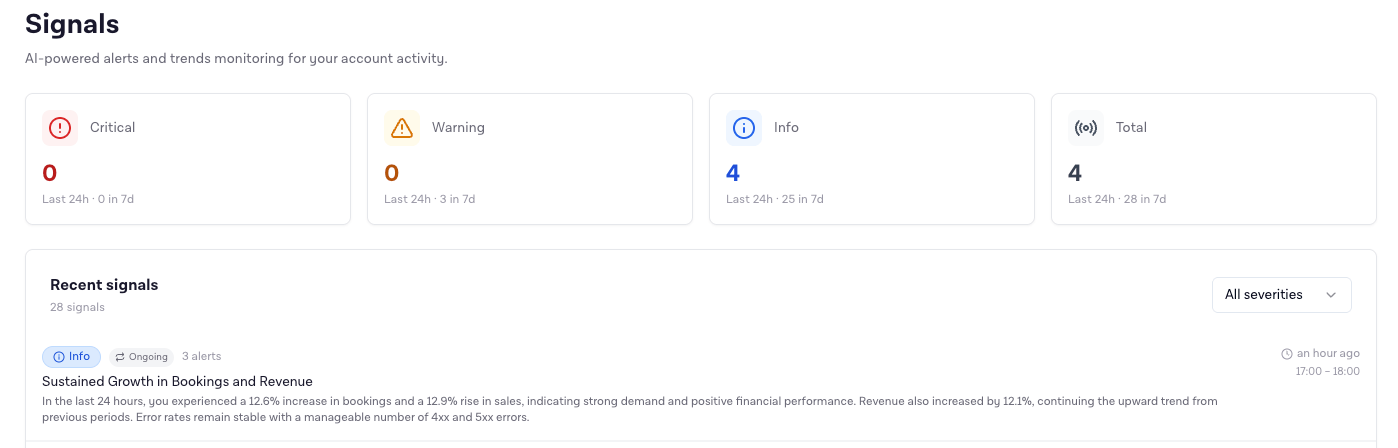
liteAPI now continuously monitors activity across your account and surfaces signals as conditions change. These aren't manual reports you have to remember to run. The system tracks trends in bookings, revenue, and platform behavior, and flags things like performance shifts, growth patterns, and rising error rates as they develop. The goal is to surface what's changing before it becomes a problem, rather than after.
On top of that, the AI recommendations layer turns those signals into suggested next steps. If bookings in a specific market are declining, the platform doesn't just surface the trend. It analyzes the context and outlines what you can do about it, whether that's adjusting pricing focus, revisiting marketing allocation, or identifying a supply gap that's dragging conversion.
Each recommendation includes an indication of expected impact and the effort involved, which matters for prioritization. Teams managing multiple markets or product lines can't act on everything at once. Having a framework that helps distinguish high-value, low-effort actions from longer-term investments means less time debating internally and more time executing.
For companies that have relied on manual reporting or third-party analytics tools to understand their performance, this changes what's possible without additional infrastructure.
Price Check: See What You're Actually Getting
There's a difference between knowing your API has access to competitive hotel rates and being able to verify that across a hundred properties in a specific market on a specific date. Until now, that kind of verification required either building a test environment or making a series of manual API calls.
The Price Check UI removes that requirement entirely.
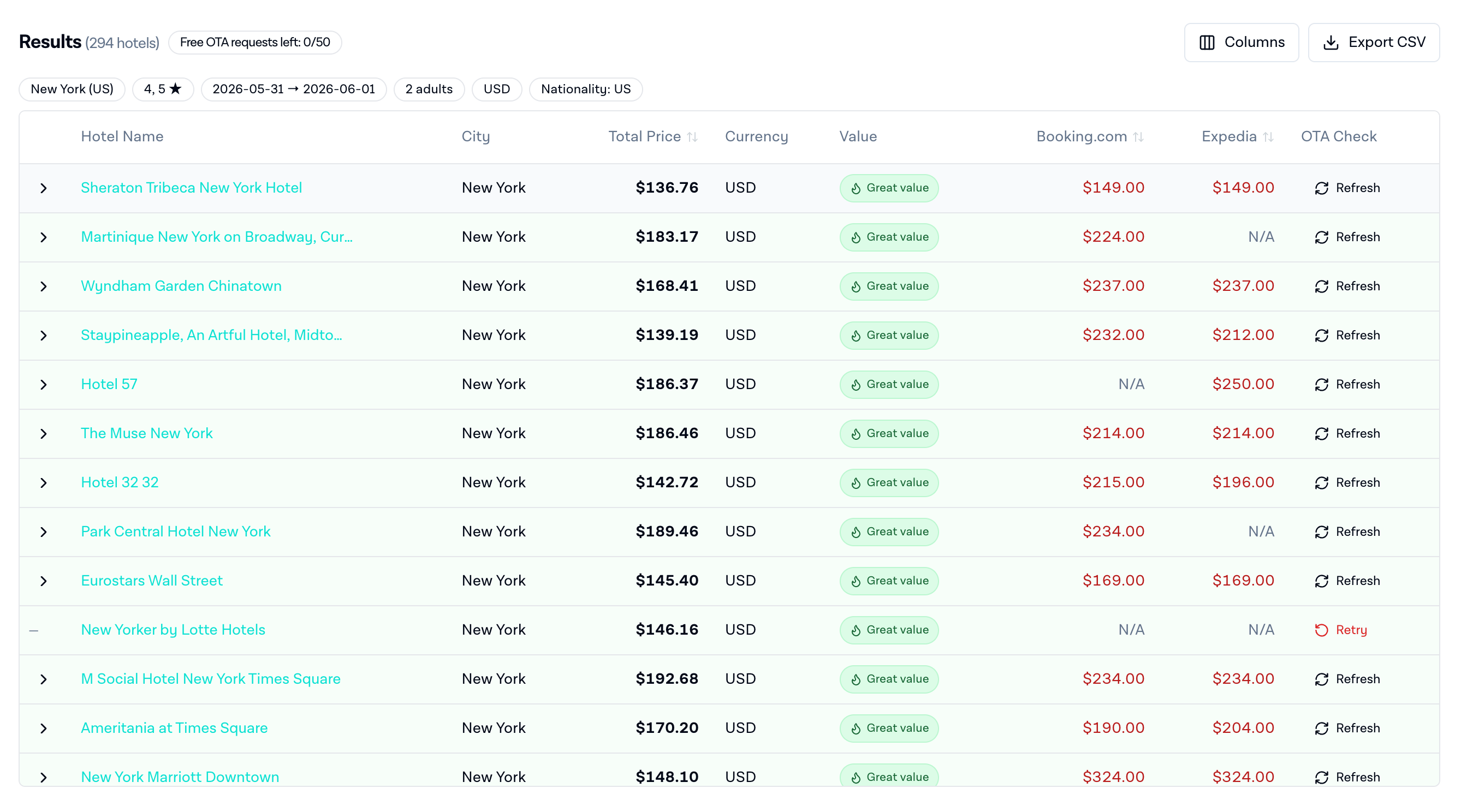
From the dashboard, you can run hotel price searches across cities, countries, or a custom-uploaded list of hotel IDs. Filter by star rating, set occupancy and check-in date, and results come back within seconds. Every search is saved automatically, so you can rerun the same check a week later and compare what changed, which is particularly useful if you're evaluating seasonal pricing behavior or tracking rate parity across markets.
Commission configuration is available at the query level. You can run a check using the margin set on your account, or override it for a specific search to model how your net pricing changes under different settings. That kind of scenario testing used to require modifying account configuration, running the test, and then reverting. Now it's a field in the search form.
Results are sortable, exportable as CSV, and include a value score that weighs price against star rating to help identify best-performing options at a glance. The export is particularly useful for teams that want to pull price data into their own analysis tools or share results with commercial stakeholders who don't have dashboard access.
The feature also supports OTA rate comparisons. You can pull reference prices from Google Hotel Center and other sources alongside your liteAPI results, so you're not just seeing what you're getting, you're seeing how it stacks up against what the same hotel is showing elsewhere. For corporate travel programs where rate auditing is a contractual requirement, that side-by-side view turns Price Check into a compliance tool as much as a pricing one.
Custom Reports V2: A Data Warehouse You Can Actually Use
Self-serve reporting in travel platforms has a poor track record. The standard experience is a fixed set of pre-built dashboards that don't quite match how your business is organized, with no way to ask a question they weren't designed to answer. Getting anything custom means involving an engineer or waiting for a scheduled export.
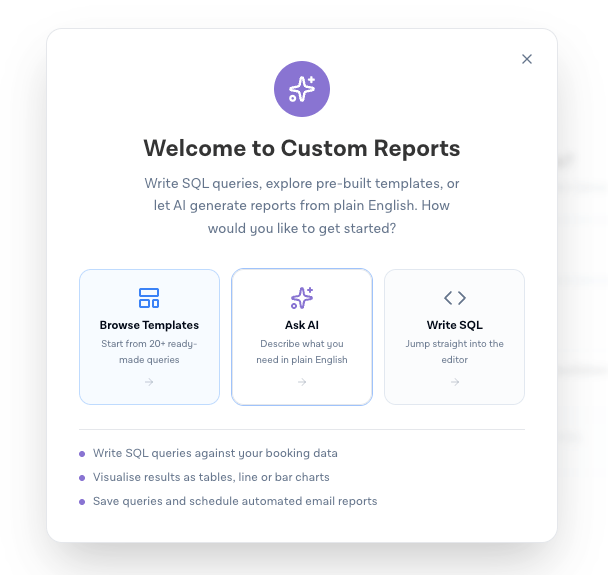
Custom Reports V2 gives you direct SQL access to your account data from the dashboard. Bookings, revenue, hotel performance, geographic distribution, whatever you need to understand. There's a pre-built template library covering the most common queries so you can get started without writing anything from scratch, but the full SQL interface is available if your question is more specific.
For teams that don't have SQL expertise, an AI query generator lets you describe what you want in plain language. Describe the data you're looking for and the system builds and runs the query. The output is the same structured result you'd get from writing it yourself.
The most operationally significant addition is scheduled reports. You set a query, define how often it should run, add a list of recipients, and the results arrive as a CSV attachment on whatever cadence you configure. Finance teams get weekly revenue summaries. Account managers get booking performance by market. Operations leads get error rate trends. None of them need to log into the dashboard to get their data.
This feature ships as a free capability today. Paid tiers are planned as it develops, likely including more advanced delivery options and AI-generated summaries rather than raw CSV output. But even in its current form, it replaces a workflow that most teams have been managing manually for years.
Analytics APIs: Build Your Own Reporting Layer
For companies operating at scale, or for product and engineering teams who need to integrate performance data into their own systems, working within a dashboard interface has inherent limits.
The new Analytics APIs are built for those cases.
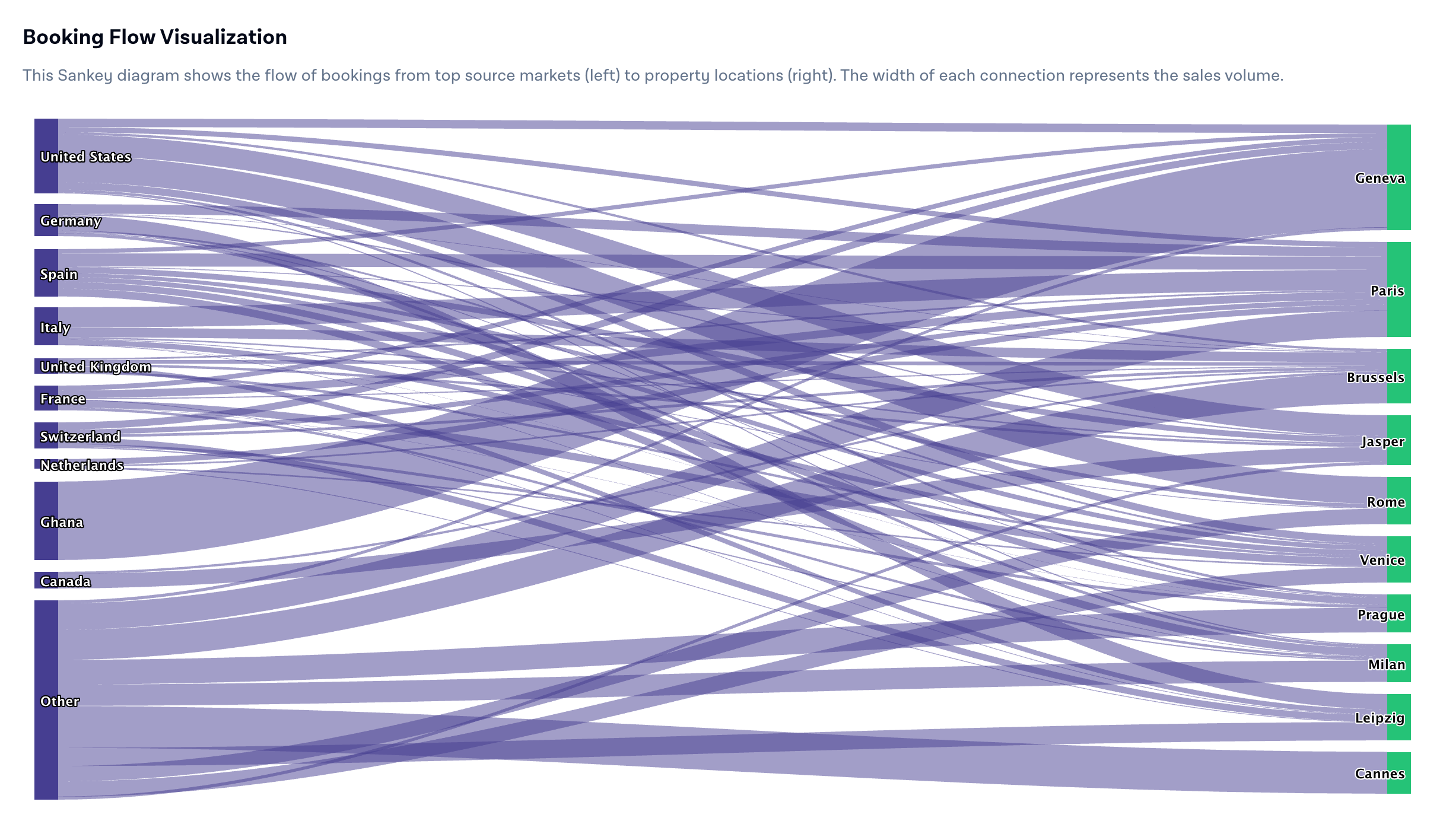
These endpoints expose the same underlying data that powers the dashboard, accessible programmatically. Bookings, revenue, performance trends, top-performing properties, customer distribution by geography. You can pull it into your own systems, combine it with data from other sources, and build reporting pipelines that fit how your team actually operates rather than how a dashboard was designed to present things.
The range of applications is broad. Internal BI tools that need to reflect liteAPI performance alongside other business metrics. Marketing teams that want to connect booking trends to campaign data. Operations teams running automated monitoring on error rates or geographic shifts. Finance teams building custom P&L views that incorporate hotel revenue breakdowns. In each case, the alternative was either accepting the limits of the standard dashboard or investing engineering time in building a custom data pipeline.
The distinction between dashboard visibility and API-level access is worth being explicit about. The dashboard gives you a shared view. The Analytics APIs give you the raw material to build whatever view makes sense for your organization. For companies with established data infrastructure, that flexibility is the more valuable option.
What This Adds Up To
Each of these updates addresses a specific gap. The chatbot gives you a customer-facing conversational layer you actually control. The AI support feature reduces the friction of getting help during a build. Signals and recommendations shorten the time between a performance change and a response. Price Check makes rate validation something anyone on the team can do. Custom Reports and scheduled exports put data in front of the people who need it without requiring them to log in. The Analytics APIs give engineers direct access to the underlying data.
Travel companies that compete effectively on distribution are not just the ones with the best supply access. They're the ones with the fastest feedback loops and the operational infrastructure to act on what they learn.
Explore what's new in the liteAPI dashboard or reach out to your account manager for a walkthrough.